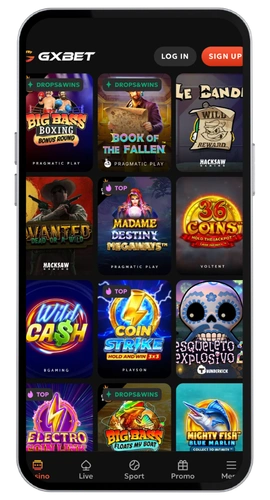
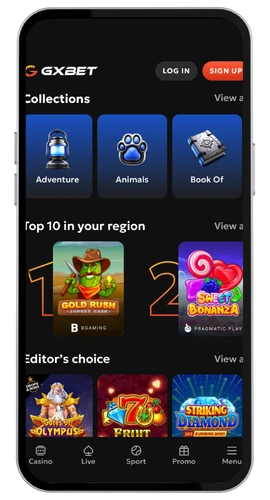
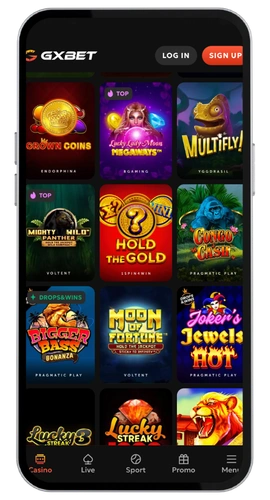
We built our mobile app for users who are playing on the bus to Makati, during the lunch break or in bed at 1am. The GxBet mobile experience offers the same over 6,500+ games you can access on desktop but with much faster navigation and a screen layout that is actually suited to your phone. Making deposits via the GCash-supported bank rails, Visa, Master Card, Google Pay, Apple Pay, Revolut or even BTC, ETH, USDT or SOL is identical to accessing your account. Our platform owns a Costa Rica Gambling license and we maintain a robust security mode with encrypted sessions on every client device. English is the default language here that works perfectly well for the many Philippine players; support is always 1 mouse click away via live chat or email.
Overview of features of Gx Bet App (Gxbet Mobile App)
The application is 32MB, so it won’t eat your hard drive. You get games from all the popular providers such as Red Tiger, Quickspin, Betsoft and Yggdrasil, live blackjack and roulette tables from Evolution, crash games, bingo, keno and a comprehensive sportsbook with eSports betting. Every game is touch friendly so there’s no pinching or zooming. Deposit, cashout and chat with support without ever having to leave the application. Daily cashouts are available up to ₱325,000 with no fees from us.
Gx Bet App Download Steps Made Simple
It takes about 2 minutes for the Gx Bet download to finish on a good connection. No need to create again an account if you already play in the browser. Just download the file from our official website, install it, login and you’re done. Below, we separated for each system.
Android Installation Walkthrough
Complete your GxBet android install in four easy steps:
Go to the official GxBet Casino site using your phone.
Click the download button on this page and save the apk file.
Enable (Install from unknown sources) in your security settings.
Open the file, install the app and start playing in minutes.
The apk is 32MB and works on Android 7.0 and newer. Installation usually finishes in under 60 seconds. Updates arrive through the app itself, so you never hunt for a new version. Automatic login is off by default, which keeps your account safer if you share a device.
GxBet Casino Application designed for Your iPhone
The GxBet iOS route is even shorter:
Open the App Store on your iPhone or iPad.
Use search and type (GxBet Casino).
Press (Get) and confirm the installation with Face ID or your passcode.
Just Sign in and get the app started.
You need iOS 13 or later. The download sits around 32MB and the install process finishes fast on any iPhone from the last several years. Apple Pay deposits work straight from the app, and withdrawals to e-wallets land within 24 hours.
GxBet App and Web Version Comparison
Both releases use the same servers, same balance, same bonus offers. The Gx Bet app wins on speed and familiarity. Icons are positioned to settle into your thumb at the right angle, game list loads faster, push alerts update on your 60 free spins every Monday morning. If you play frequently, get it installed.
If you change your computer often, then the web version is just right. It works on Windows, macOS and any up-to-date browser without having to install anything, use any storage or give access rights. Useful if you are gambling from a family computer or work laptop. Our site adjusts to fit whatever screen you start it up in; so internet casino on mobiles is also still flawlessly functional.
A quick conclusion from us. The heavy slot gamblers and sports bettors must take this app. For the lowest monthly login of 2 times, the regular players are recommended to stick with the official site. The [email protected] live chat and email will handle the very same inquiries, and your cash flow and documents are equally safe.